Home shows what to do next: words due for review, a quick test and how you’re progressing.
At the top, a summary line shows how many words you have, your language, your sources and your current streak. Below it:
- Capture, Browse and Practice: shortcuts to add a word, open your Lexicon or start a quiz.
- Share & export your lexicon and Quiz yourself with a story: shortcuts to those pages.
- Tips: six short tips you can swipe through. Tap Got it to dismiss them, or switch them off in Settings.
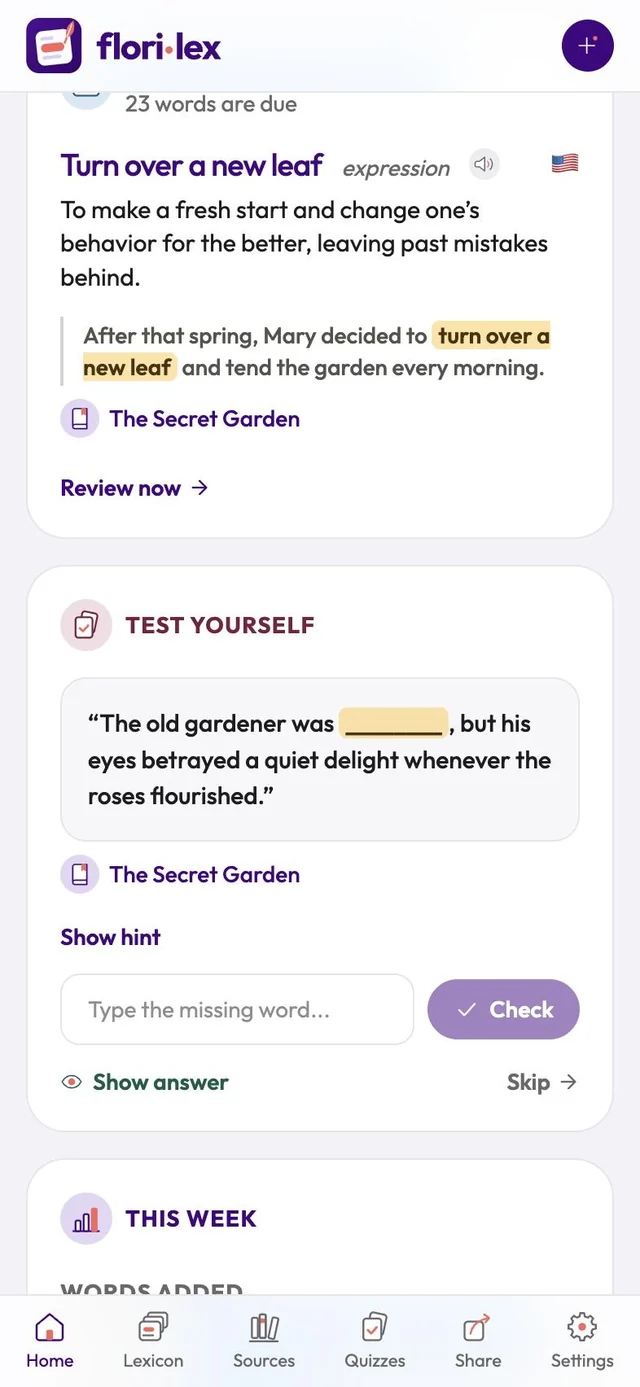
- Words to review today: a word that’s due, with its sentence. Tap Review now to practice your due words.
- Test yourself: a quick fill-in-the-blank. Type the word and tap Check, or use Show hint, Show answer or Skip.
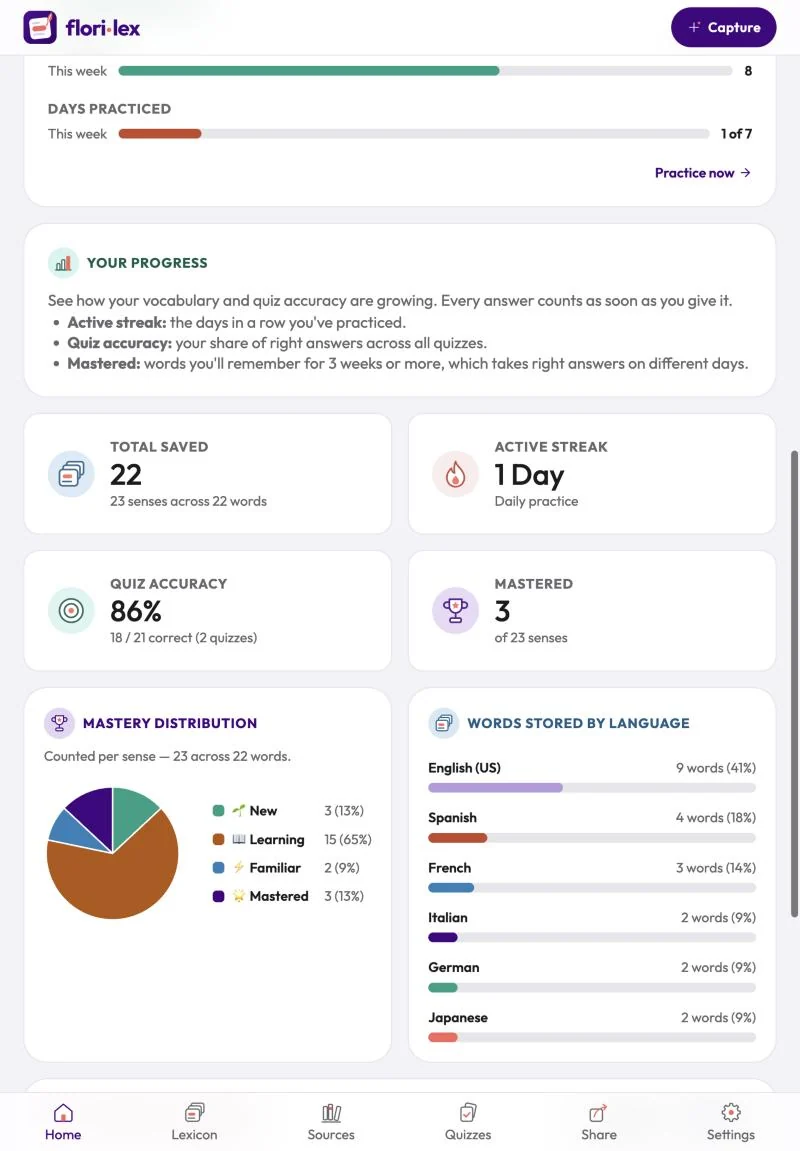
- This week: words added compared with last week, how many answers you gave and how many were right, and the days you practiced.
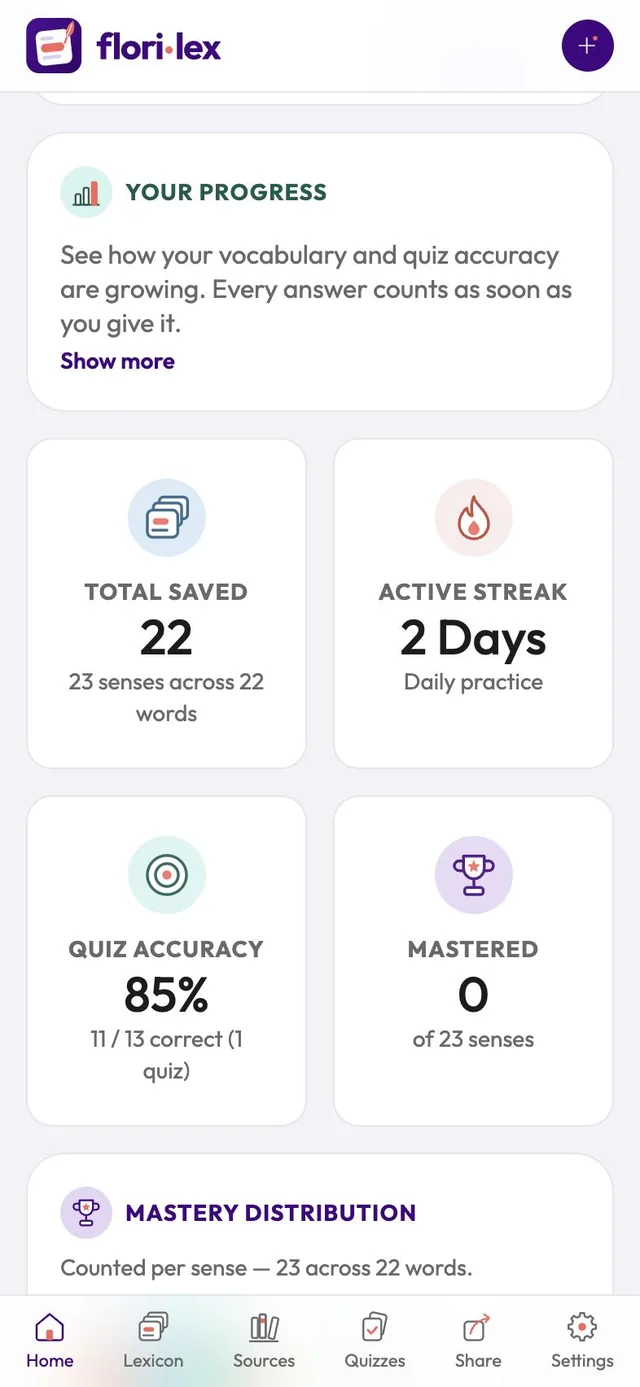
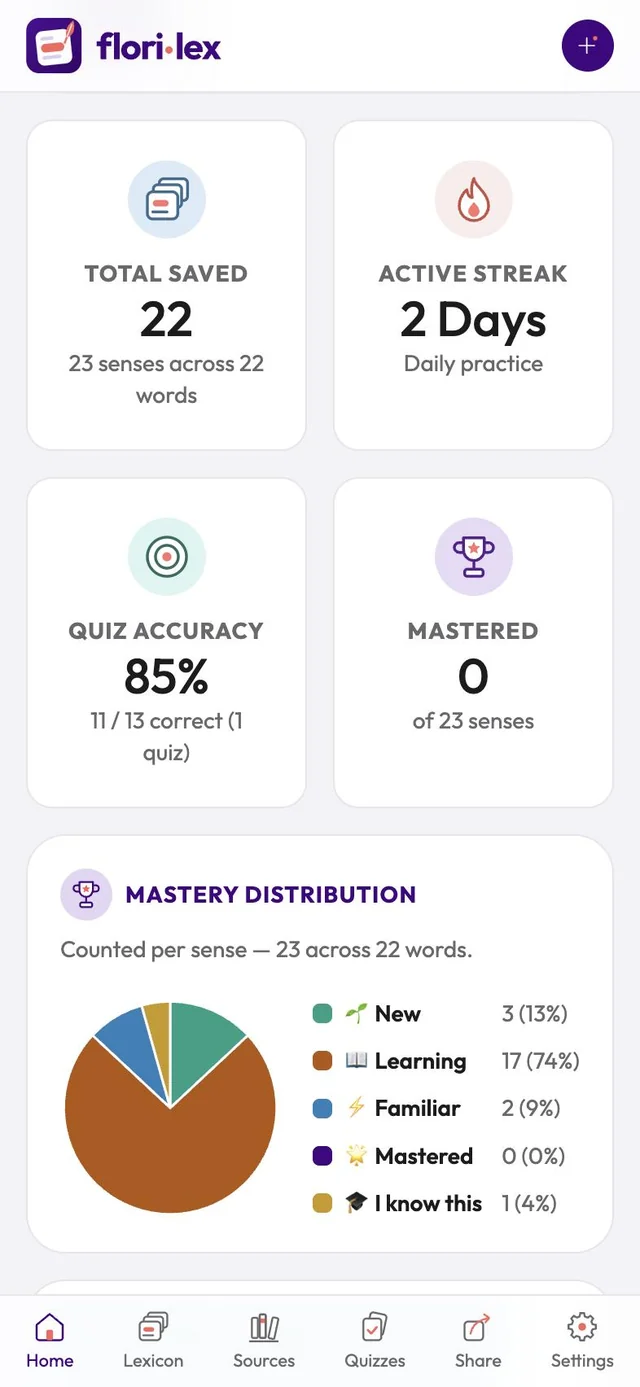
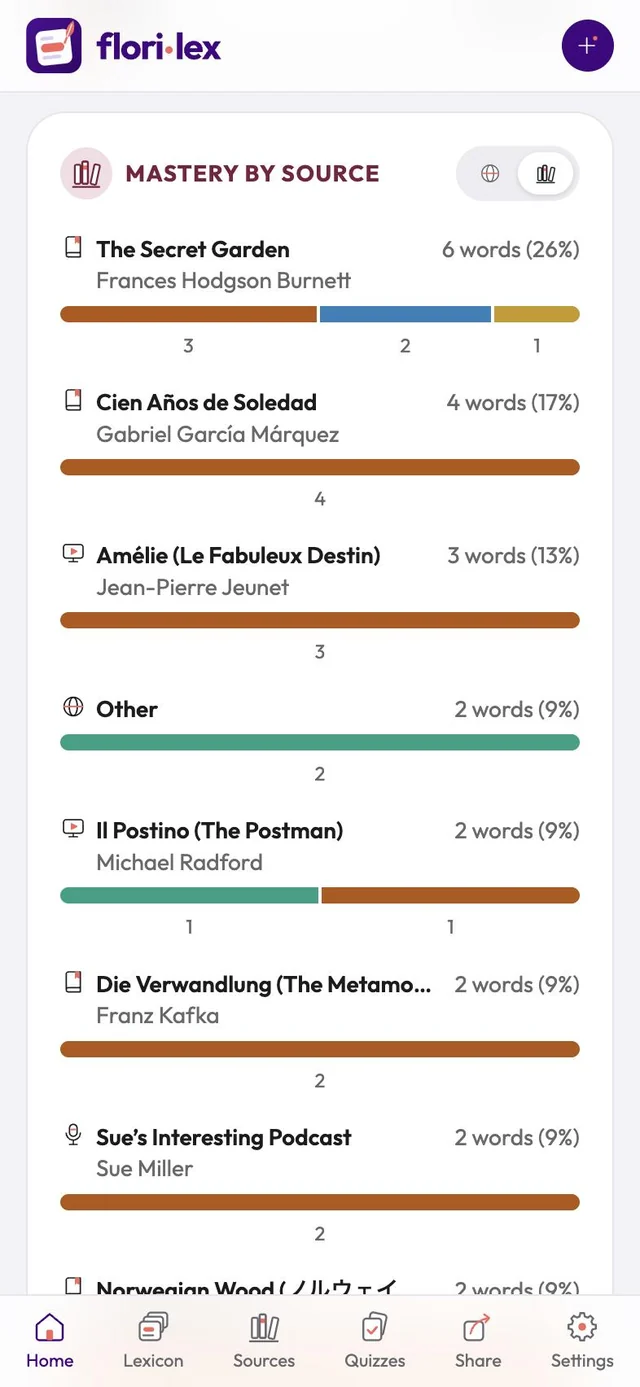
- Your progress: total words saved, active streak, quiz accuracy and words mastered, then a chart of how your words are spread across the mastery levels. If you have more than one language or source, charts by language and by source appear too (see Mastery and progress).