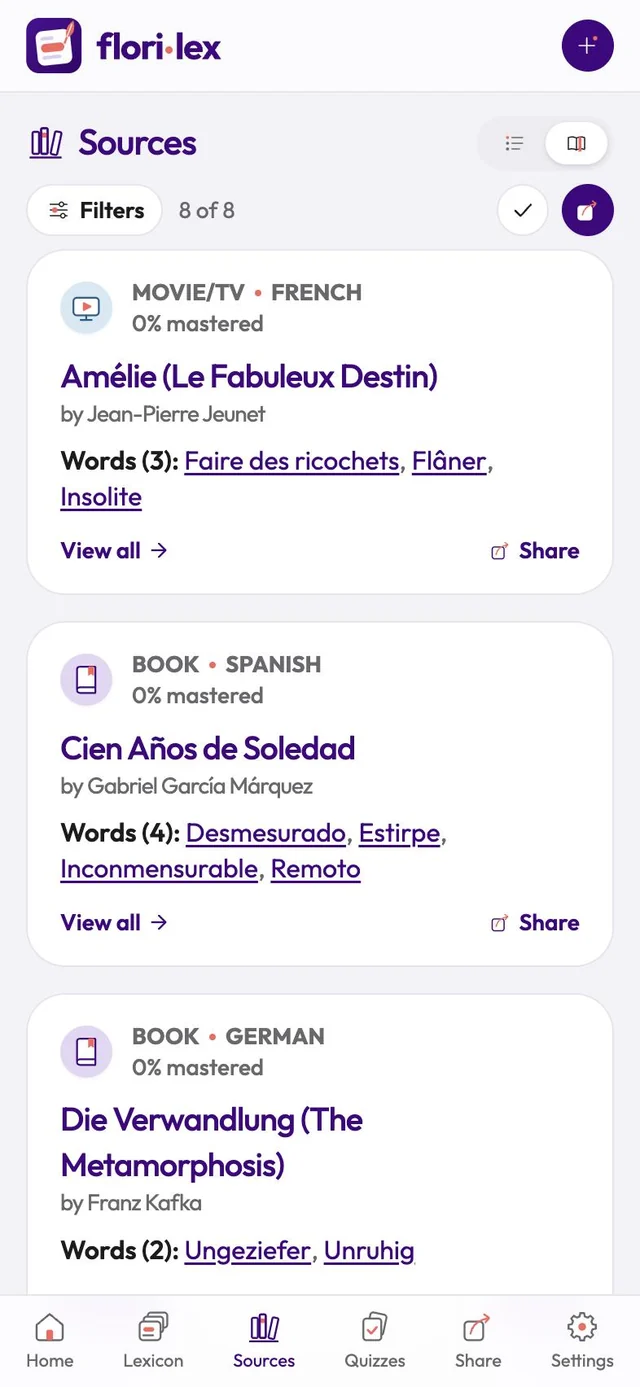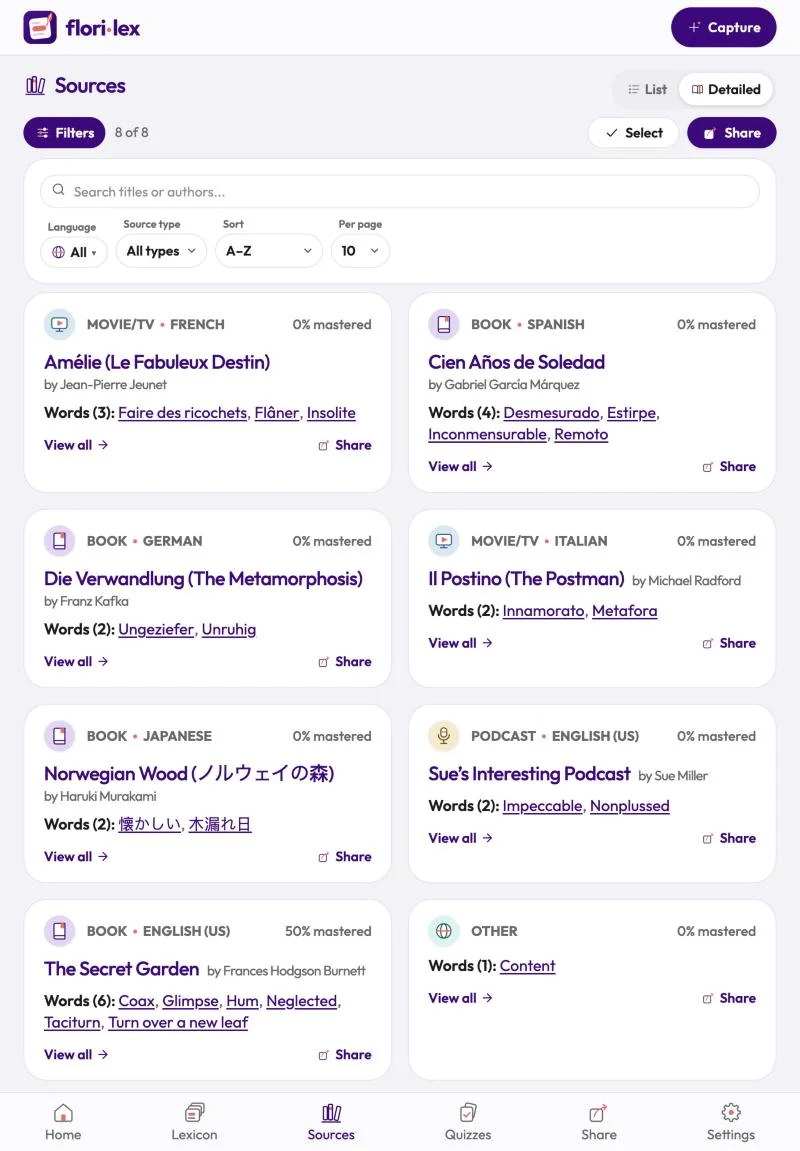
The Sources page groups your words by where you found them.
Tap Sources in the bottom bar. The top of the page works like the Lexicon. The counter shows how many sources are showing, for example Displaying 1–10 of 14 sources, with arrows to move between pages:
- List or Detailed: List shows each source on one line with its type, title, author and number of words. Detailed shows a card for each source with its type and language, how much of it you’ve mastered and the words you’ve saved from it.
- Filters: search titles or authors, and choose a language, a type of source (including All types except Other), a sort order (A–Z, Z–A, Newest or Most words) and how many sources per page. On a computer, the filters are always showing.
- Select: tap Select, then tap the sources you want, or Select all, and tap Share to send all their words together. Tap Done when you’ve finished.
- Share at the top sends the words of all the sources showing.
On a source’s card in Detailed view:
- Tap a word to open it, or View all to see all its words in the Lexicon.
- Tap the pencil next to the author to edit the source. Renaming a source changes it on every word captured from it.
- Tap Share to send all its words to a friend.
Delete a source: edit it and tap Delete source, then Yes, delete. Only a source with no words can be deleted, so move its words to another source or delete them first.
Words without a source are collected under Other.