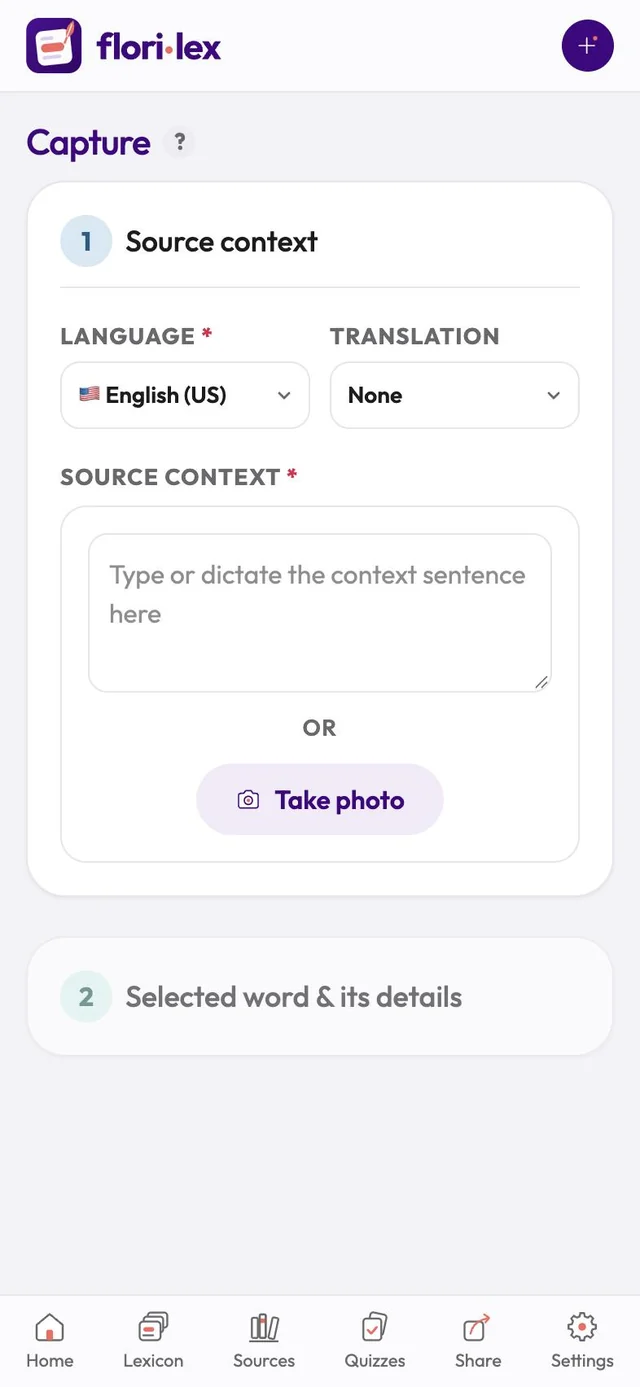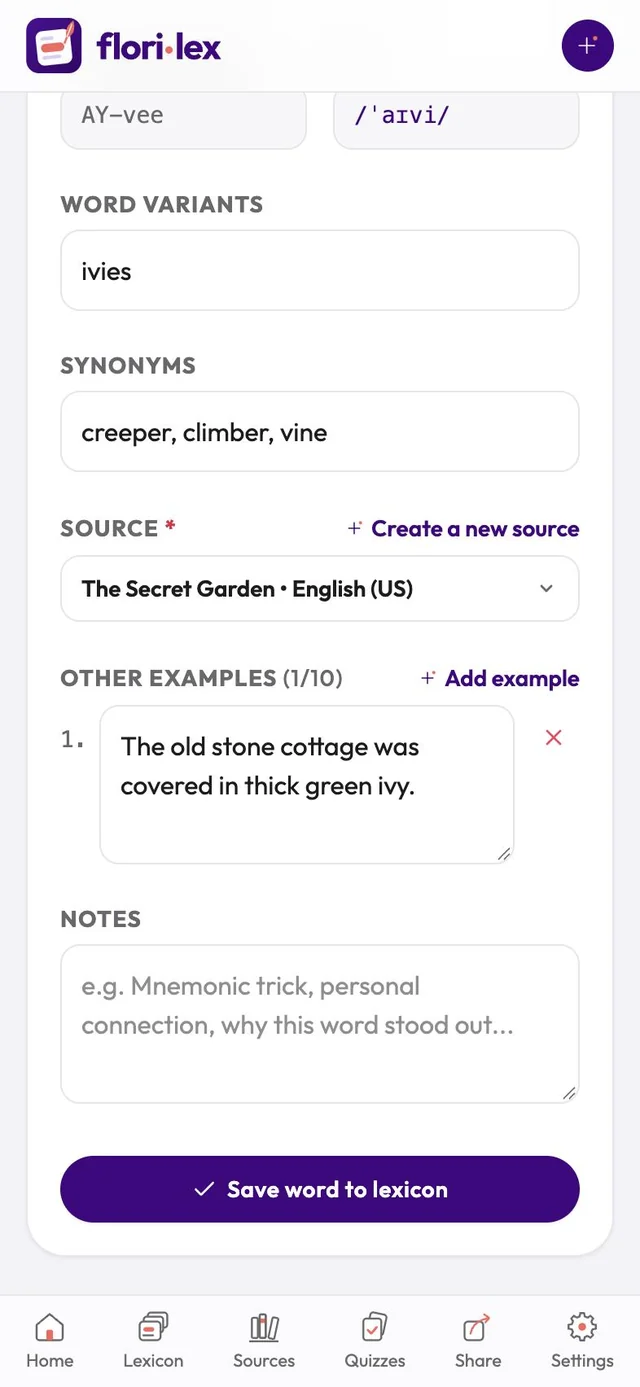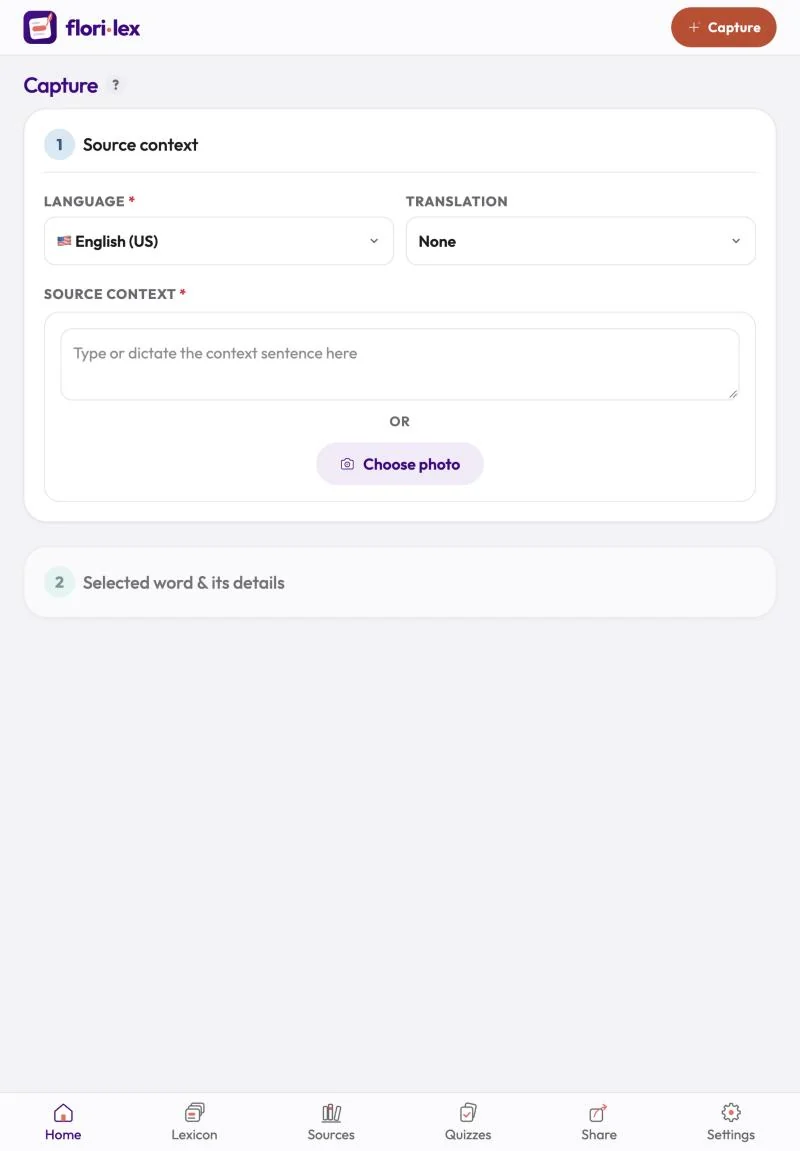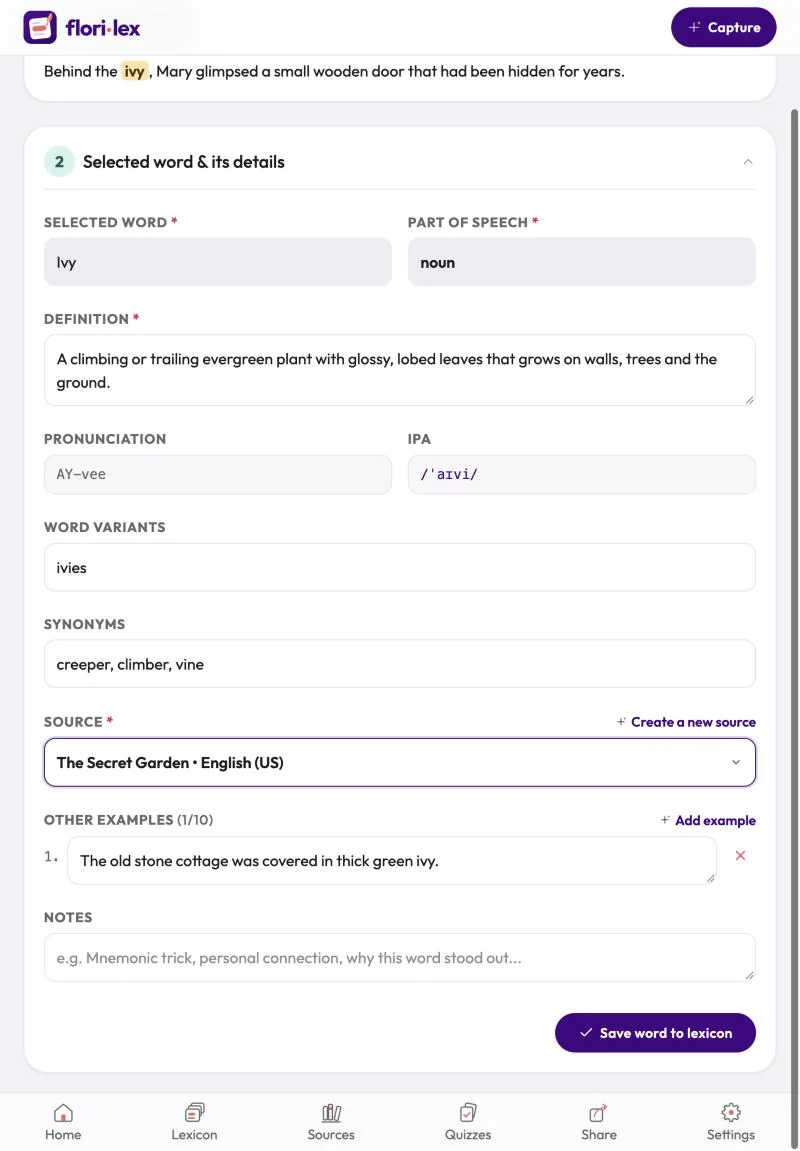
Save a new word together with the sentence you found it in; Florilex fills in the details for you.
- Open Capture. Tap the + button at the top right (iPhone), or Capture (iPad and computers).
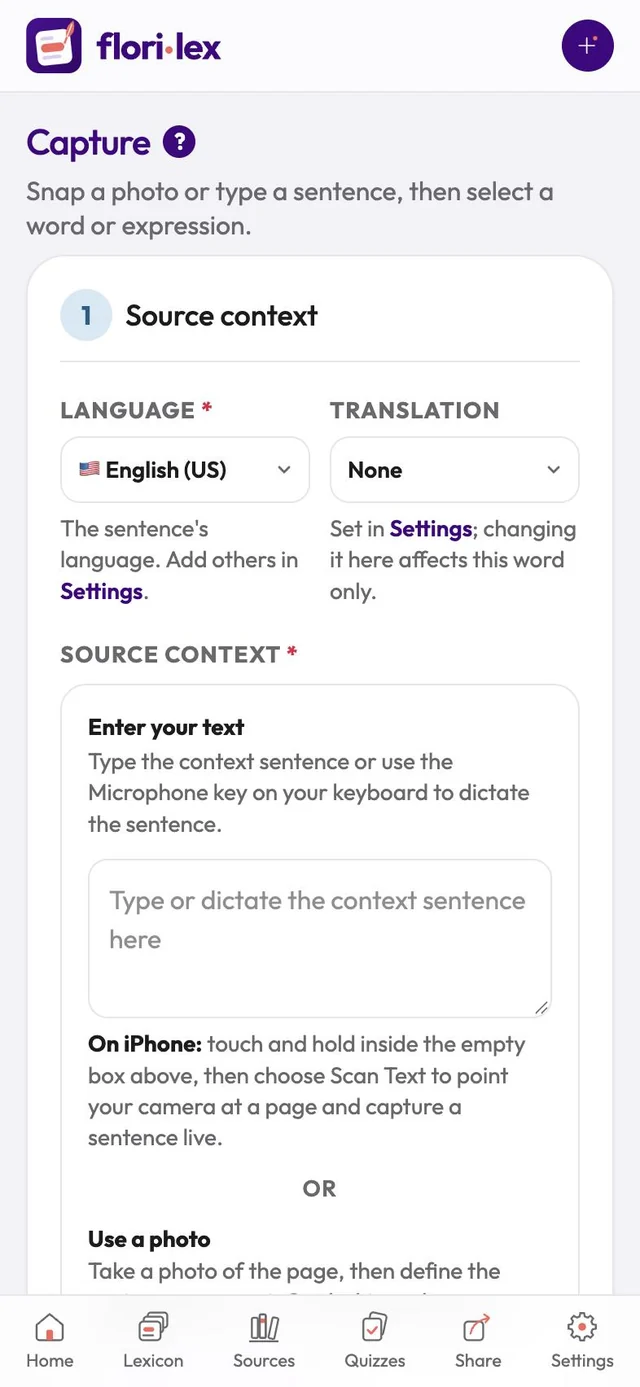
- Check the language. Language shows the language of your sentence. To add more languages, go to Settings.
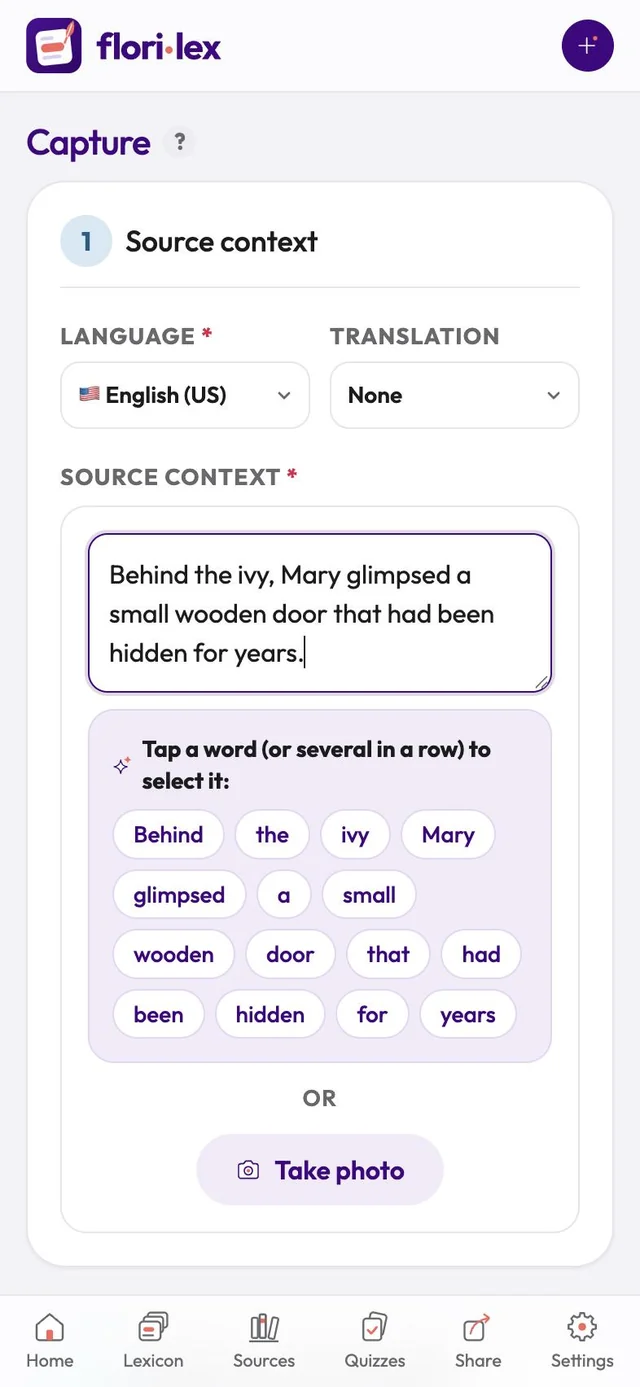
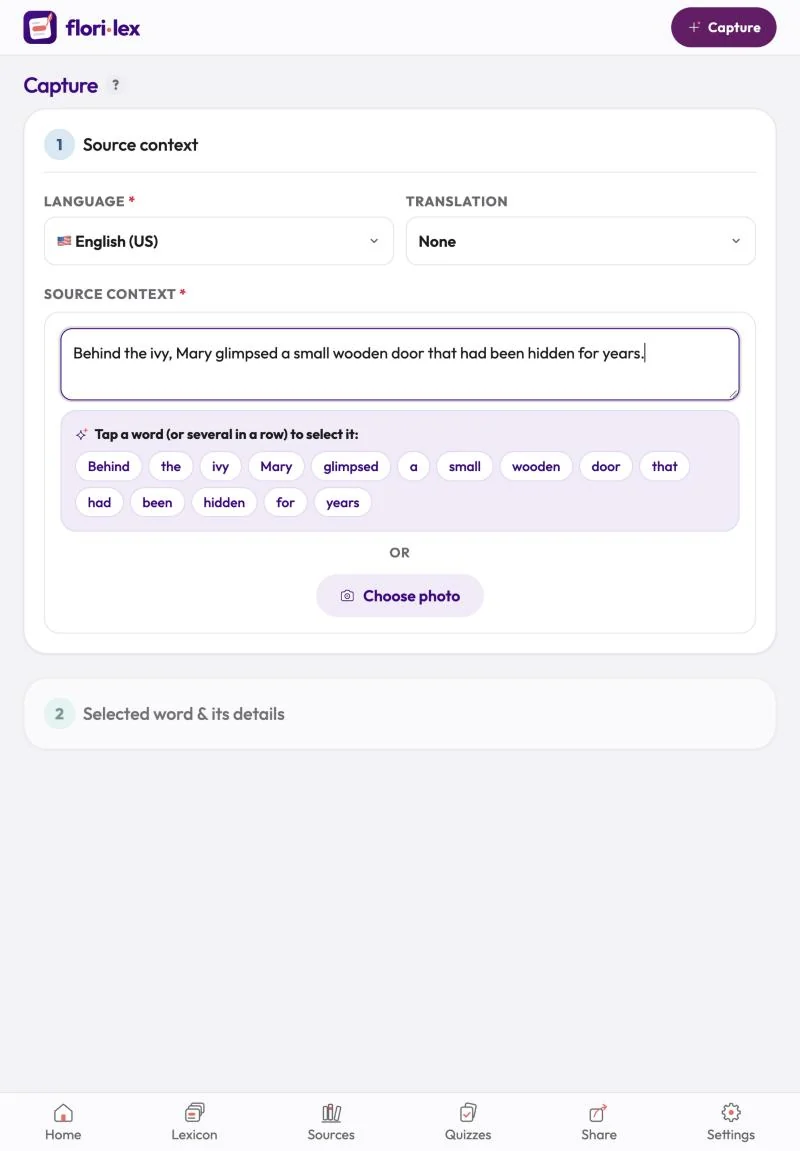
- Add the sentence. In Source context, type or paste the sentence, or tap the microphone key on your keyboard and read it aloud. Each word turns into a button.
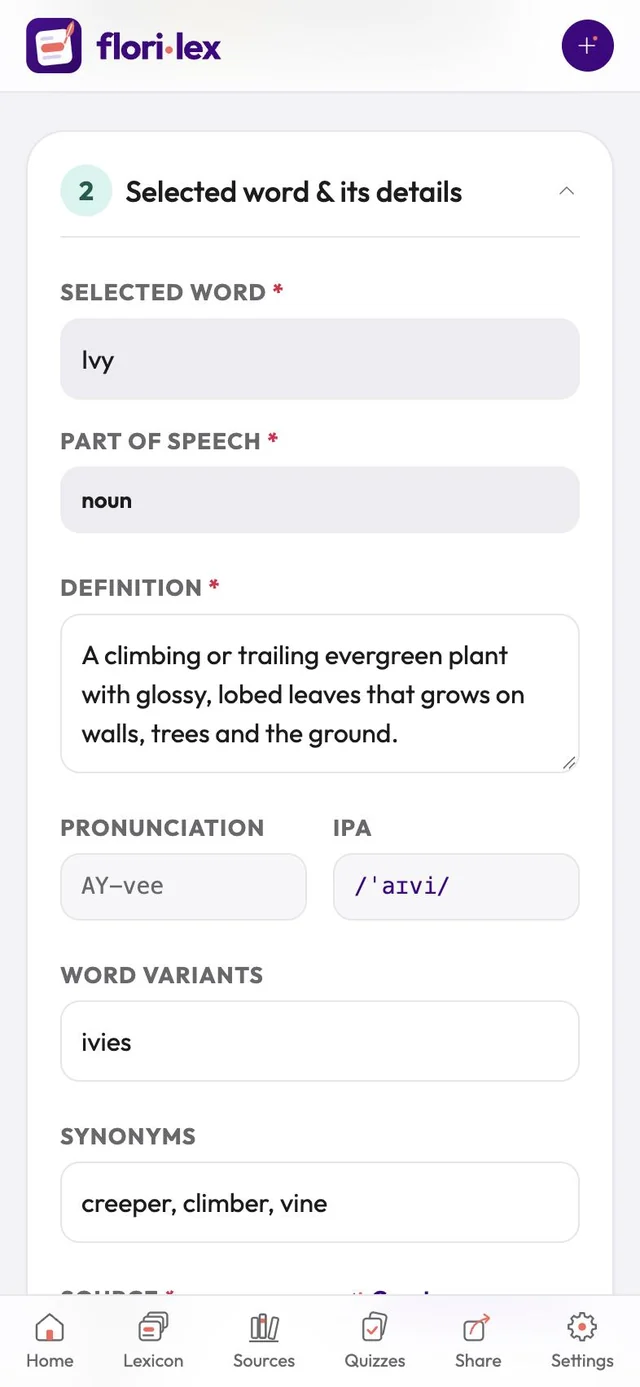
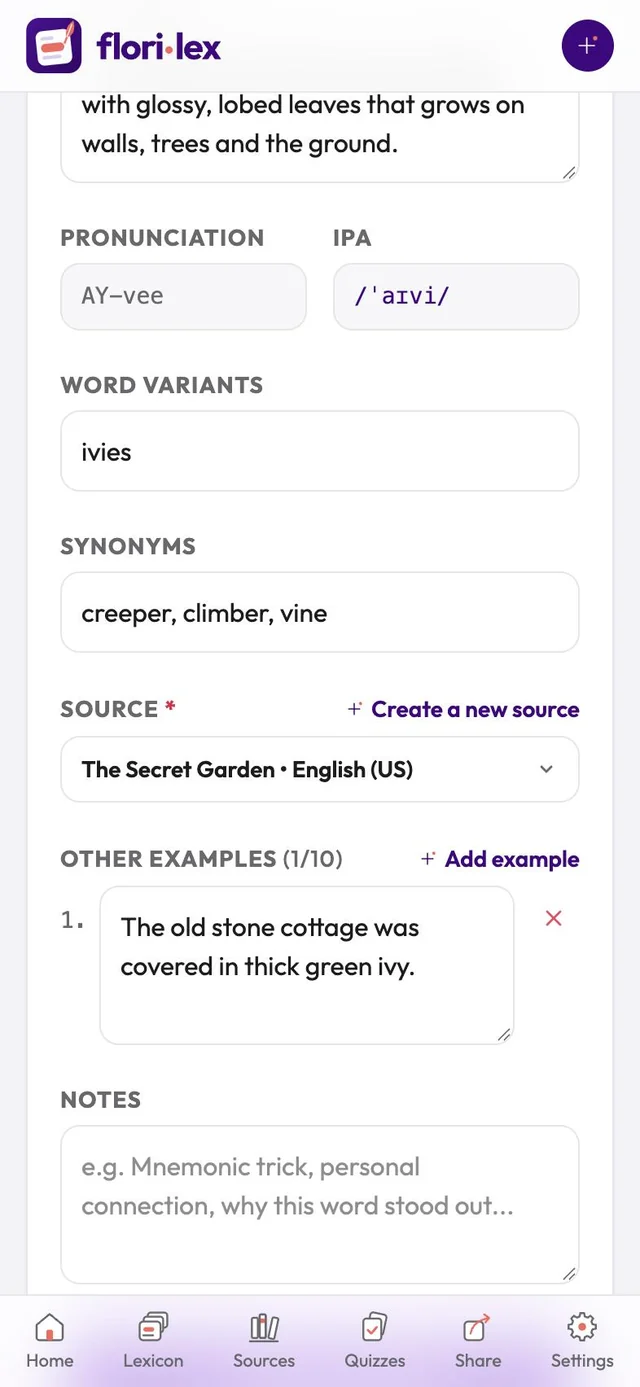
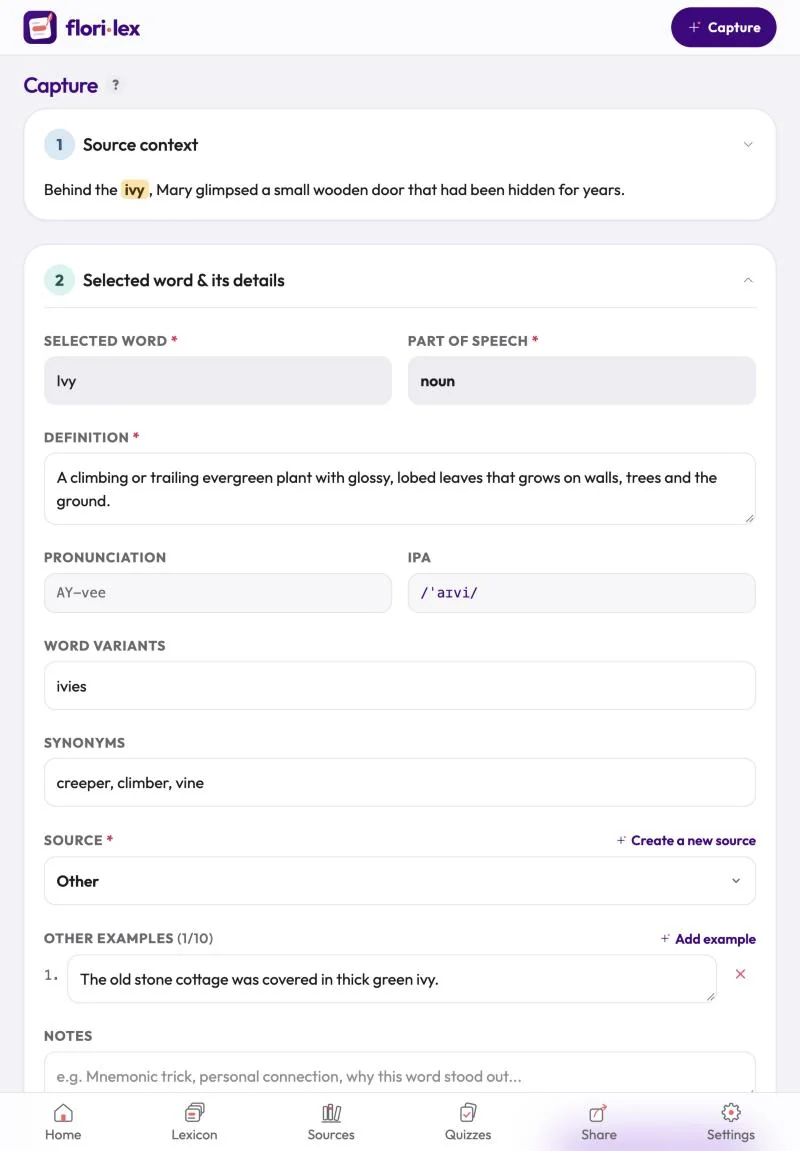
- Tap the word you want. Florilex fills in its part of speech, a definition of the meaning used in your sentence, pronunciation, IPA, word variants and synonyms. It also writes one extra example sentence, which the quizzes use alongside yours.
- Check the details. Change anything you like. Word variants (for example ran, running, runs) are highlighted in your sentences too. For many verbs, a note under Word variants says that Florilex also recognizes every form of the verb, so you don’t need to list them all. Synonyms can have a translation in parentheses.
- Choose a source. Pick where you found the word, or create a new source (see Add a source).
- Add notes if you want, such as a memory trick or why the word stood out.
- Tap Save word to lexicon.
Tap the ? next to the Capture title to show short help under each field.
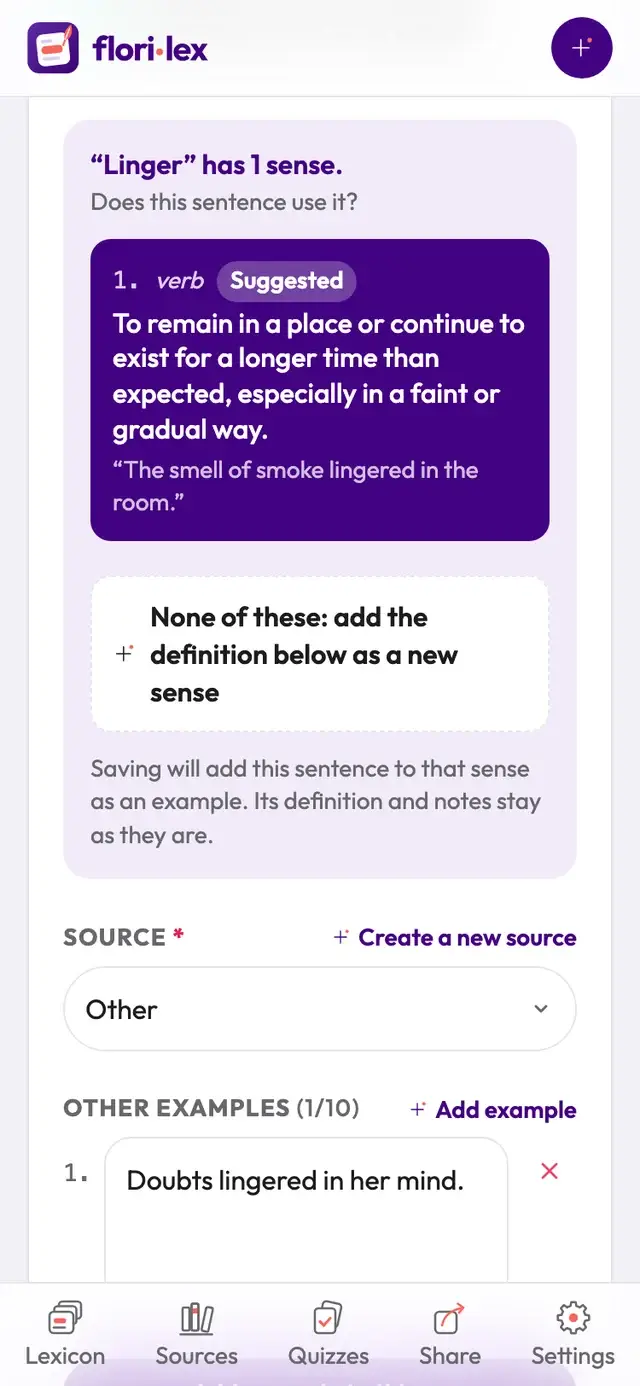
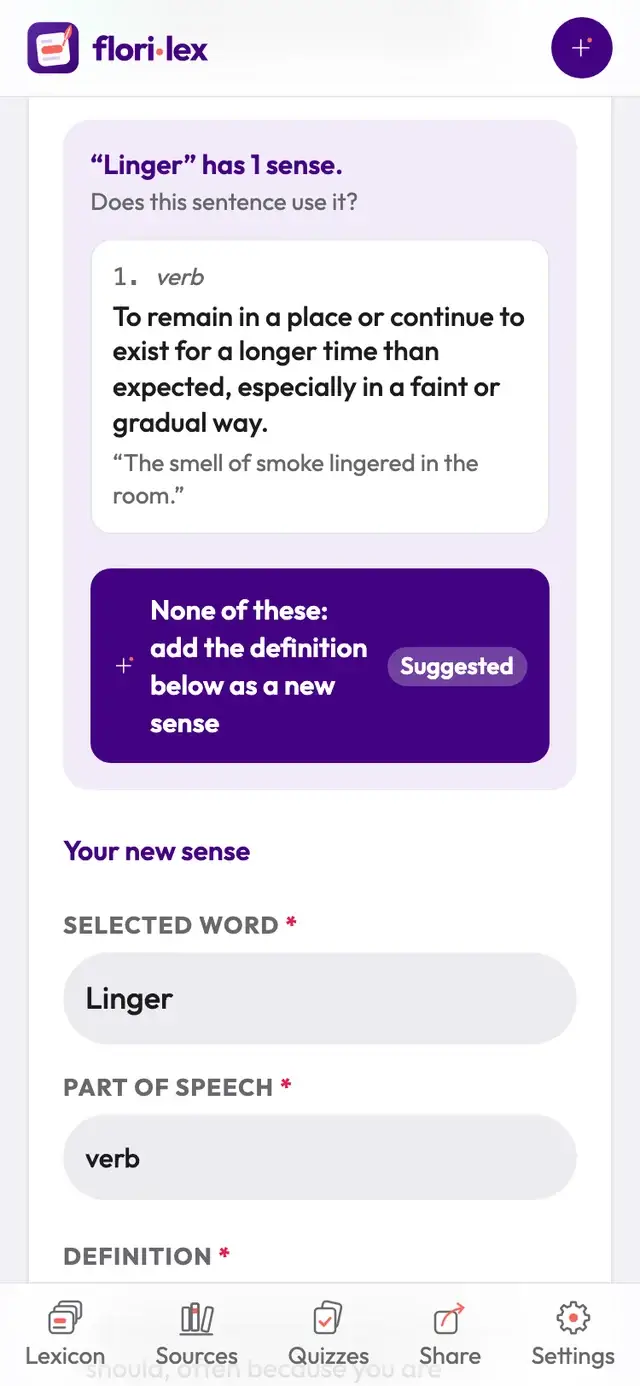
Already have this word? Florilex shows the meanings you’ve saved for it, for example “Linger” has 1 sense. Does this sentence use it? It marks its best guess as Suggested: one of your meanings, or None of these when your sentence seems to use a new meaning.
- Tap the meaning that fits. When you save, your sentence is added to that meaning as an example; its definition and notes stay as they are.
- If none of them fits, tap None of these: add the definition below as a new sense. A Your new sense form opens below it, where you check the word, part of speech and definition.
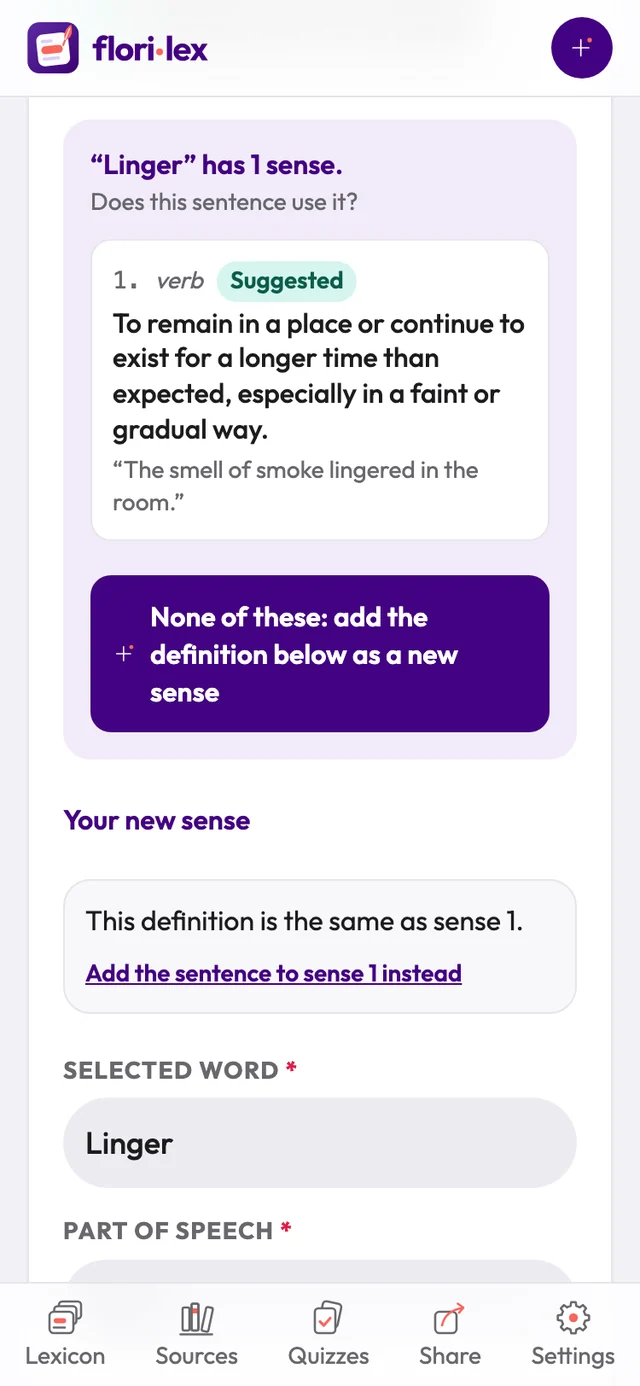
- If your new definition is the same as a meaning you already have, Florilex tells you, for example This definition is the same as sense 1. Tap Add the sentence to sense 1 instead so the word keeps one meaning rather than two copies of it.
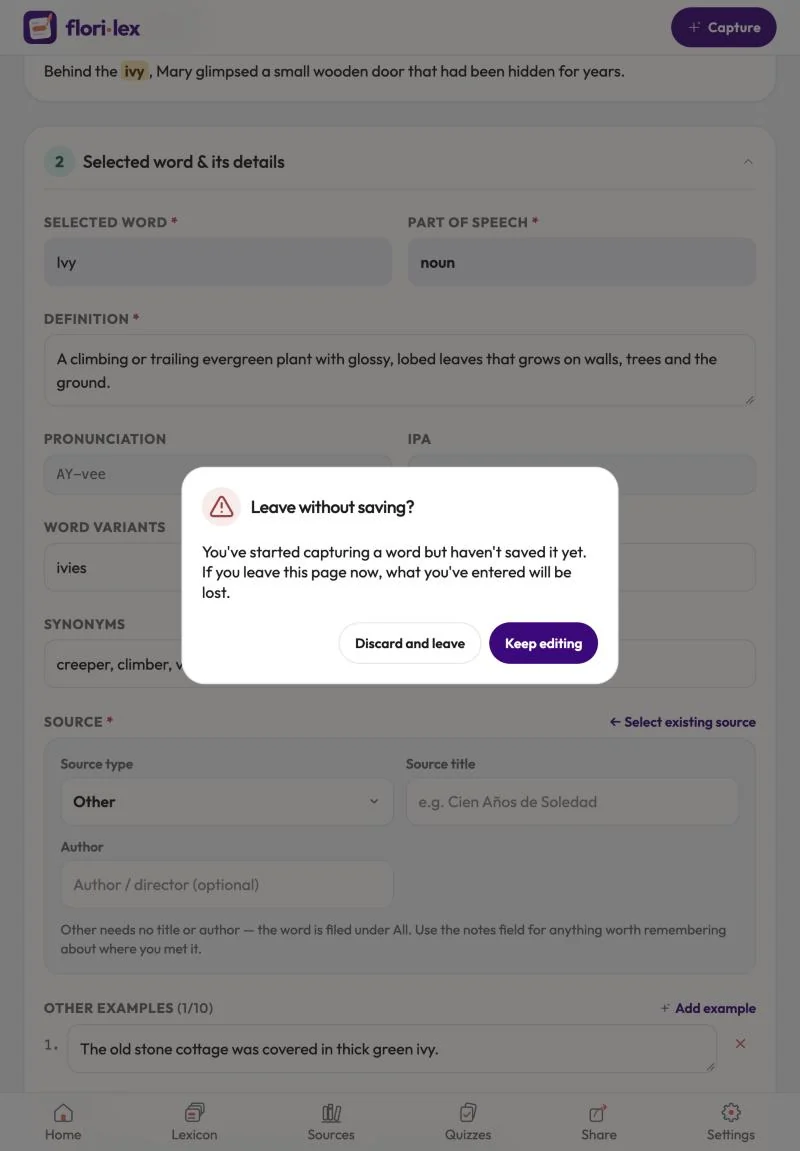
If you leave the page before saving, Florilex asks Leave without saving? Tap Keep editing to go back, or Discard and leave.
If you tap + or Capture while the Capture page still has a sentence or an unsaved word on it (for example, you tapped a word and its details are showing), Florilex asks Start again? Tap Start again to clear everything and begin a new word, or Keep editing to carry on with the word you were capturing.